
What LinkedIn Sales Navigator Actually Is (and Why Most Teams Use It Wrong)
LinkedIn Sales Navigator is LinkedIn's premium prospecting tool built specifically for B2B sales professionals. At its core, it gives you access to advanced search filters, lead and account tracking, InMail credits, and CRM integration — capabilities that simply don't exist on a standard LinkedIn account.
But here's the honest assessment: most teams subscribe, run a few searches, send a batch of generic InMails, and wonder why their pipeline never moves. Sales Navigator is not a magic lead machine. It's a precision instrument, and the gap between average and excellent results is almost entirely about how you use it.
In 2026, that gap has widened further. LinkedIn has rolled out significant platform updates that affect how prospects discover your profile, how search works, and how outreach gets received. Teams still running 2023 playbooks are not just underperforming — they're actively burning budget against an audience that has grown more resistant to lazy outreach.
The 2026 LinkedIn Updates That Change How You Prospect
Three major changes hit LinkedIn in early 2026, and each one directly affects how Sales Navigator users should operate.
The Depth Score Algorithm Shift
In January 2026, LinkedIn overhauled how it distributes content across the platform. The old signals — post likes, profile completeness, follower count — no longer drive meaningful reach. The platform now measures a "Depth Score," which tracks how long people actually engage with your content, whether they save it, share it privately, or leave a substantive comment. Posts that generate quick likes or generic comments are actively deprioritised in the feed.
For sales teams using content as part of their warm-up strategy before outreach, this changes the calculation entirely. Posting generic "thought leadership" to generate impressions no longer works. Content that drives genuine conversation — sharp insights, data-backed analysis, counterintuitive takes — is what now builds the visibility that makes your connection requests land better.
AI Conversational Search
Also in January 2026, LinkedIn launched AI-powered conversational search across the platform. You can now describe who you're looking for in plain language. LinkedIn's Chief Product Officer, Tomer Cohen, demonstrated it with queries like "ex-coworkers who became founders in healthcare in New York." The platform returns a relevant filtered list within seconds.
For Sales Navigator users, this removes a significant portion of manual filter-building from the prospecting workflow. What previously required multiple nested filters can now be initiated with a natural language query and then refined with traditional filters for precision. The time savings for reps building lists daily are substantial.
AI Sales Assistant Inside Sales Navigator
LinkedIn launched an AI Sales Assistant directly inside Sales Navigator in early 2026. The tool focuses on managing prospecting workflows and outreach sequencing, specifically designed to reduce the administrative load on SDRs working through large lists. This is LinkedIn's direct response to the growing use of third-party automation tools, and it signals a clear platform direction toward native AI-assisted selling workflows.
Choosing the Right Sales Navigator Plan for Your Team
Sales Navigator currently offers three plans, each targeting a different stage of team sophistication. Picking the wrong tier is a common way teams end up either over-paying for features they don't use or under-investing in capabilities they genuinely need.
| Plan | Best For | Key Capabilities |
|---|---|---|
| Core | Individual contributors, solopreneurs | Advanced search filters, saved lead and account lists, InMail credits, basic alerts |
| Advanced | Small-to-midsize sales teams | All Core features plus team collaboration, CRM integration, shared lists, usage reporting |
| Advanced Plus | Enterprise sales organisations | All Advanced features plus deeper CRM integrations, advanced analytics, enterprise-grade support |
The Core plan covers the fundamentals well for individual reps. If you're running a team of more than two or three people, the Advanced plan's CRM sync and shared list functionality makes the step up worth it — skipping CRM integration is one of the most common and costly mistakes Sales Navigator users make, turning a precision tool into an expensive contact rolodex.
Newsletter
Get the latest SaaS reviews in your inbox
By subscribing, you agree to receive email updates. Unsubscribe any time. Privacy policy.
If you're evaluating Sales Navigator against other data tools in your stack, it's worth comparing it to ZoomInfo, which takes a fundamentally different approach by focusing on intent data and verified direct contact information rather than network-based prospecting. The right choice depends on whether your ICP is best reached through LinkedIn's professional network or through broader database coverage with direct dials.
Building a High-Converting Lead Generation Workflow
Define Your ICP Before You Touch a Single Filter
The single biggest mistake Sales Navigator users make is treating the tool like a fishing net rather than a spear. Before running any search, you need a precisely defined Ideal Customer Profile: the specific industry vertical, company headcount range, seniority level, geographic market, technology stack indicators, and growth signals that mark a prospect as likely to buy. Sales Navigator's advanced filters let you target all of these dimensions — but filters are only as good as the thinking behind them.
Broad targeting doesn't just waste InMail credits. It trains you to write generic messages, which destroys conversion rates across your entire outreach program.
Combine Boolean Search with Intent Signals
Boolean search within Sales Navigator gives you precise control over keyword combinations in titles, job descriptions, and company profiles. Layer this with intent signals — prospects who have recently changed roles, companies that have just raised funding, or accounts showing growth indicators — and you're no longer targeting based on static demographics. You're targeting based on active buying potential.
Prospects exhibiting intent signals convert 2–3x higher than static cold outreach targets. That's not a marginal improvement — it's the difference between a campaign that struggles to justify its budget and one that generates real pipeline.
Build Segmented Lead Lists, Not One Giant List
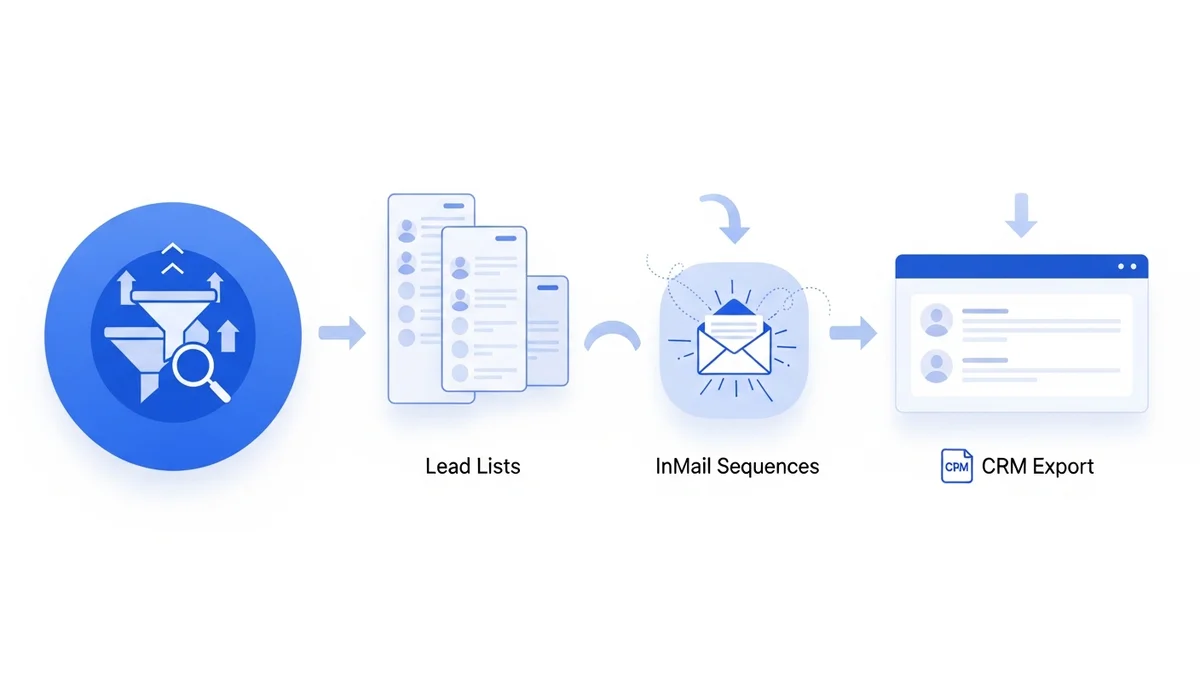
Sales Navigator allows you to save leads and accounts into organised lists. Use this to segment by persona type, buying stage, or intent signal. The outreach sequence for a recently-promoted VP of Sales at a Series B startup should look nothing like the one for a director at an established enterprise. The platform makes segmentation easy — the problem is that most teams simply don't do it.
Advanced Outreach Strategies That Generate More Qualified Meetings
Advanced LinkedIn outreach strategies generate 3–5x more qualified meetings than generic approaches — not because of any single tactic, but because of how the entire engagement sequence is structured. Here's what actually works.
Optimise Your Profile Before You Send Anything
Before any outreach campaign, your LinkedIn profile is your conversion infrastructure. Prospects evaluate your credibility before replying to a connection request or InMail. Authority-driven headlines, value-focused summaries, and featured proof — case studies, relevant posts, quantified results — increase reply rates by 25–40% compared to generic profiles. This is not a minor optimisation. It's the foundation everything else is built on.
Structure 5–7 Touch Sequences Around Value, Not Pitches
Immediate sales asks in first messages are one of the most reliable ways to ensure your outreach gets ignored. High-performing campaigns use structured sequences of 5–7 touches that build trust before requesting a meeting:
- Touch 1: Genuine engagement with the prospect's recent content before connecting
- Touch 2: Connection request with a specific, non-pitchy personalisation note
- Touch 3: Value-first message sharing a relevant insight or resource tied to their role
- Touch 4: Credibility proof — a brief case study or result directly relevant to their situation
- Touch 5: Soft call-to-action framed around their problem, not your product features
- Touches 6–7: Follow-up with additional value or a different angle if no response
This structure works because it mirrors how professional trust actually develops. You're not interrupting someone's day with a pitch — you're demonstrating relevance before asking for anything. The step-change in reply rates between teams that do this and teams that don't is significant and consistent.
Act on Trigger Events Within 24–48 Hours
Trigger-based outreach — reaching out when a prospect changes roles, their company announces a funding round, or they publicly engage with content related to your solution category — dramatically outperforms generic cold approaches. Sales Navigator's alert system surfaces these signals automatically for saved leads and accounts. The key is acting within 24–48 hours while the signal is still warm and the prospect is still in an active evaluation mindset.
Measuring What Matters and Avoiding the Mistakes That Kill ROI
Track KPIs That Connect to Revenue
The metrics worth tracking in Sales Navigator are connection acceptance rate, InMail reply rate, meeting conversion rate (replies that become booked calls), and pipeline value generated per rep. Tracking impressions or profile views tells you almost nothing useful about whether your prospecting is working.
If your InMail reply rate is below 15% or your acceptance rate is below 25%, the problem is almost always targeting precision or message personalisation — not send volume. More sends with poor targeting simply accelerates LinkedIn's assessment that your account is approaching spam behaviour, which can lead to account restrictions.
The Two Mistakes That Waste the Most Budget
Broad targeting and skipping CRM integration are consistently the two biggest ROI killers for Sales Navigator users. Broad targeting fills your lists with poor-fit prospects and forces you into generic messaging that converts badly. Skipping CRM sync means manually managing follow-up across disconnected systems — an administrative burden that reliably leads to dropped leads and inconsistent outreach timing.
A properly integrated stack matters. Tools like Apollo.io complement Sales Navigator effectively by adding verified direct email addresses and phone numbers to the leads you identify, extending your reach beyond LinkedIn messages alone and enabling genuine multi-channel sequences.
Where Sales Navigator Fits in a Complete Lead Generation Stack
Sales Navigator is a prospecting and engagement layer, not a complete lead generation system. To convert the pipeline it surfaces, you need supporting infrastructure around it.
On the data enrichment side, Cognism provides GDPR-compliant verified mobile numbers and direct dials that extend your ability to reach prospects identified through Sales Navigator — particularly useful in European markets where LinkedIn acceptance rates tend to run lower than in North America.
On the nurture and conversion side, HubSpot Marketing Hub integrates directly with Sales Navigator on the Advanced and Advanced Plus plans, allowing you to run automated nurture sequences, track engagement across channels, and score leads based on behaviour before routing them to your sales team for direct outreach.
The reality of B2B lead generation in 2026 is that no single tool does everything well. Sales Navigator excels at identifying and engaging decision-makers within LinkedIn's professional network. What happens to those leads after the first conversation — how they're enriched, nurtured, and tracked through to close — determines whether the investment pays off at a business level.
Used precisely, with intent signals driving targeting, an optimised profile handling first impressions, and structured multi-touch sequences doing the relationship-building, Sales Navigator generates the kind of qualified meetings that justify its cost many times over. Used lazily — broad searches, generic InMails, no CRM sync — it's an expensive list of names that never quite converts into pipeline.