
Why Your Email Finder Tool Choice Matters More Than You Think
Finding the right email address sounds simple. In practice, it's one of the biggest friction points in B2B sales and marketing. You have a perfect prospect in mind, but without a verified contact, your outreach goes nowhere — or worse, it bounces and damages your sender reputation.
The numbers back this up: 77% of B2B buyers prefer to be contacted via email, more than double any other channel. Yet email lists decay by roughly 22.5% every year as contacts change roles or switch domains. That means a list you built six months ago could already be a quarter stale. Pair that with the fact that average B2B bounce rates sit around 2.5% — and can spike into double digits with poor data hygiene — and it's clear that the tool you use to find and verify addresses has a direct line to your campaign ROI.
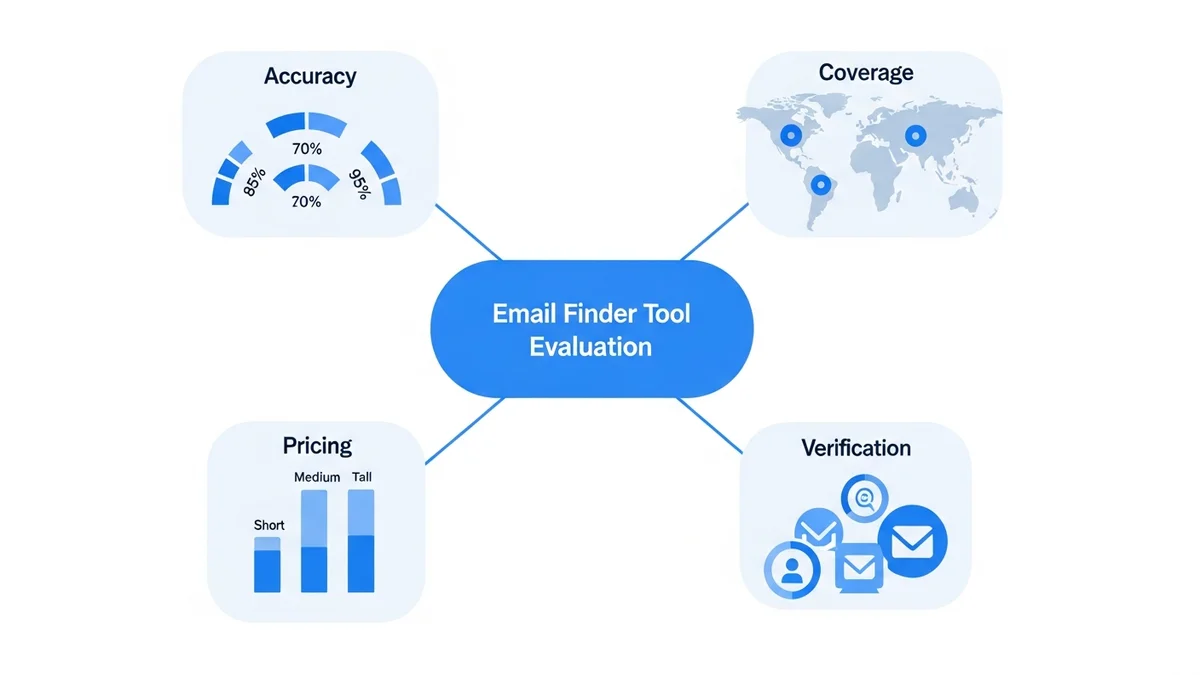
This guide breaks down exactly what to evaluate when choosing an email finder tool: the features that actually move the needle, the red flags to avoid, and how email finders fit into a broader lead generation stack that might include platforms like Apollo Io or Cognism.
What an Email Finder Tool Actually Does
At its core, an email finder tool is a specialised search engine that crawls publicly available sources — company websites, LinkedIn profiles, press releases, directories — and matches contact names to email addresses. You provide a name and a company domain; the tool returns a verified (or probable) email address.
That's the baseline. But the best tools go considerably further. They layer in real-time verification, bulk search capabilities, LinkedIn prospecting integrations, CRM enrichment, and API access for workflow automation. The gap between a basic finder and a full prospecting platform is enormous, and understanding where on that spectrum your needs fall is the first step to making the right choice.
Email Finder vs. Email Verifier: Know the Difference
These two functions are related but distinct. An email finder discovers addresses you don't already have. An email verifier checks whether addresses you already have are valid and deliverable. The best tools do both in one pass. When evaluating options, confirm whether verification happens at point of discovery or requires a separate step — that workflow difference matters significantly at scale.
The Core Features Every Email Finder Needs
Before comparing price points or free plan limits, anchor your evaluation on these non-negotiable capabilities. A tool that's weak on any of these will cost you more in wasted outreach than it saves in subscription fees.
Real-Time Email Verification
This is the single most important feature. A finder that returns unverified addresses is handing you a list with an unknown decay rate. Teams that actively use email verification tools have seen bounce-rate reductions of up to 21% according to deliverability research — that's the difference between a healthy sender reputation and getting flagged as spam. Look for tools that verify at the moment of discovery, not as an afterthought.
Multiple Search Methods
Your prospecting workflow won't always be the same. Sometimes you're searching by individual name and domain. Other times you're bulk-uploading a list of companies and need addresses at scale. And increasingly, sales teams are prospecting directly through LinkedIn. A capable email finder should support all three: individual search, bulk domain search, and LinkedIn integration via a browser extension.
Accuracy Rate Transparency
Some tools claim accuracy rates above 95%, but the methodology behind that number varies wildly. Look for tools that clearly disclose how they calculate accuracy, whether they distinguish between "verified," "probable," and "unverified" results, and whether they charge credits only for verified finds. Anymail Finder, for example, explicitly charges only for verified emails — a meaningful commitment to data quality.
CRM and Workflow Integration
An email finder that doesn't connect to your CRM creates manual data transfer work that compounds at scale. Native integrations with Salesforce, HubSpot, and Pipedrive are the standard expectation. API access matters too, particularly if you're building automated enrichment workflows or feeding data into platforms like Clearbit Hubspot Breeze Intelligence for deeper data layering.
Newsletter
Get the latest SaaS reviews in your inbox
By subscribing, you agree to receive email updates. Unsubscribe any time. Privacy policy.
Compliance Infrastructure
GDPR and CAN-SPAM compliance aren't optional considerations — they're existential ones. A tool that sources data from non-compliant methods puts your entire outreach programme at legal risk. Enterprise-grade tools will have explicit GDPR alignment documentation and clear data sourcing policies. This is especially critical for teams operating in Europe or targeting European prospects.
How to Compare Pricing Models Without Getting Burned
Email finder pricing is notoriously inconsistent across vendors. Some charge per search, others per verified email, others via monthly credit bundles that roll over (or don't). Here's a real comparison of the leading tools based on current published pricing:
| Tool | Free Plan | Entry Paid Price | What You Get at Entry | Best For |
|---|---|---|---|---|
| Reply.io | Yes — 200 searches/month | $49/month | 2,000 searches | High-volume free prospecting |
| Hunter | Yes — 25 searches/month | $24/month | 500 searches | Email outreach workflows |
| Snov.io | Yes — 50 searches/month | $30/month | 1,000 searches | Flexible search options |
| Voila Norbert | Yes — 50 searches/month | $39/month | 1,000 searches | High accuracy results |
| GetProspect | Yes — 50 searches/month | $49/month | 1,000 searches | LinkedIn prospecting |
| Anymail Finder | No | $19/month | 50 verified emails | Verified-only billing |
| AeroLeads | No | $19/month | Unlimited searches | Value for money |
| Overloop | No | $49/month | 500 searches | Advanced integrations |
| Clearbit | Yes — 10 searches/month | Custom pricing | CRM enrichment focus | Enterprise data enrichment |
A few things stand out here. Reply.io's free tier at 200 searches per month is exceptionally generous — it's a legitimate tool for small teams that want to test at real volume before committing budget. Hunter's $24 entry point is the most affordable paid option among established players, though 500 searches per month is limiting for active outbound teams. AeroLeads' unlimited search model at $19 looks attractive, but "unlimited searches" requires scrutiny around verification quality and accuracy rates.
The deeper point: cost-per-verified-email is a more useful metric than sticker price. A $19/month tool with 60% accuracy is more expensive in practice than a $39/month tool at 95% accuracy, once you account for the wasted outreach, bounce damage, and time spent cleaning bad data.
Email Finders vs. Full Prospecting Platforms: When to Use Which
Standalone email finder tools are purpose-built for one job. Full prospecting platforms bundle email finding with prospecting databases, sequencing tools, and analytics. Whether you need a focused tool or an all-in-one platform depends on your team size, outreach volume, and existing tech stack.
When a Standalone Finder is the Right Call
If you already have a CRM, a sequencing tool, and a defined prospecting workflow, adding a focused email finder as a data layer is often the most efficient path. You're not paying for features you already have, and a specialised tool often delivers better accuracy than the email finding feature bundled into a larger platform as an afterthought.
When a Full Platform Makes More Sense
For teams that are building their outbound stack from scratch, or those running high-volume outbound at scale, a full prospecting platform consolidates the workflow. Platforms like Apollo Io combine contact database access, email finding, sequence automation, and analytics in a single interface — reducing integration overhead and giving revenue teams a unified view of the prospecting pipeline. Similarly, Zoominfo offers enterprise-grade data depth that standalone finders can't match, particularly for intent data and firmographic enrichment.
The tradeoff is cost and flexibility. All-in-one platforms price at a premium and may lock you into their ecosystem. Standalone finders give you optionality — you can swap them without rebuilding your entire stack.
Red Flags to Watch When Evaluating Email Finder Tools
The market is crowded, and not every tool delivers on its promises. These are the warning signs that should give you pause before committing to a subscription.
No Transparency on Data Sourcing
If a vendor can't clearly explain where their email data comes from, that's a serious problem. Opaque sourcing is often a sign of scraped or purchased data of questionable provenance — which means both accuracy and compliance risks. Reputable tools document their data collection methods and GDPR compliance posture explicitly.
Charging Credits for Unverified Results
Some tools deduct from your monthly credit allowance regardless of whether the email returned was verified or even found. That's a misaligned incentive structure that penalises you for the tool's own limitations. Look for billing models that only charge for confirmed, deliverable results.
No Free Trial or Money-Back Guarantee
Accuracy varies by industry, region, and target persona. A tool that works brilliantly for SaaS prospecting in North America may underperform for manufacturing contacts in Europe. Any legitimate vendor should offer enough of a free tier or trial period to let you test accuracy against your specific target audience before paying.
Limited Integration Support
A finder tool that only exports CSV files and has no native integrations is creating manual work that will compound painfully. Native connectors to major CRMs, plus a well-documented API, are baseline expectations for any tool serious about enterprise adoption.
Building a Complete Lead Generation Stack Around Your Email Finder
An email finder is a component, not a complete system. The teams seeing the strongest results — those top-performing B2B campaigns delivering 41–43% average open rates — are combining accurate contact data with disciplined targeting, strong landing page experiences, and rigorous list hygiene.
On the capture side, tools that convert inbound intent into contactable leads are natural complements to outbound email finding. Platforms focused on conversion rate optimisation — like those reviewed in our coverage of Cognism for compliant European B2B data — address different parts of the same pipeline problem.
The practical recommendation: map your prospecting workflow end-to-end before choosing a tool. Where does the data need to flow? What verification standards matter for your use case? What's the real cost per verified contact at your target outreach volume? Answer those questions, and the right email finder becomes an obvious choice rather than an educated guess.
Email finding done right is a competitive advantage. Done poorly, it's a liability. The difference comes down entirely to which features you prioritise — and whether you hold vendors accountable to the data quality claims they make.






