
What Is Landingi and Who Is It For?
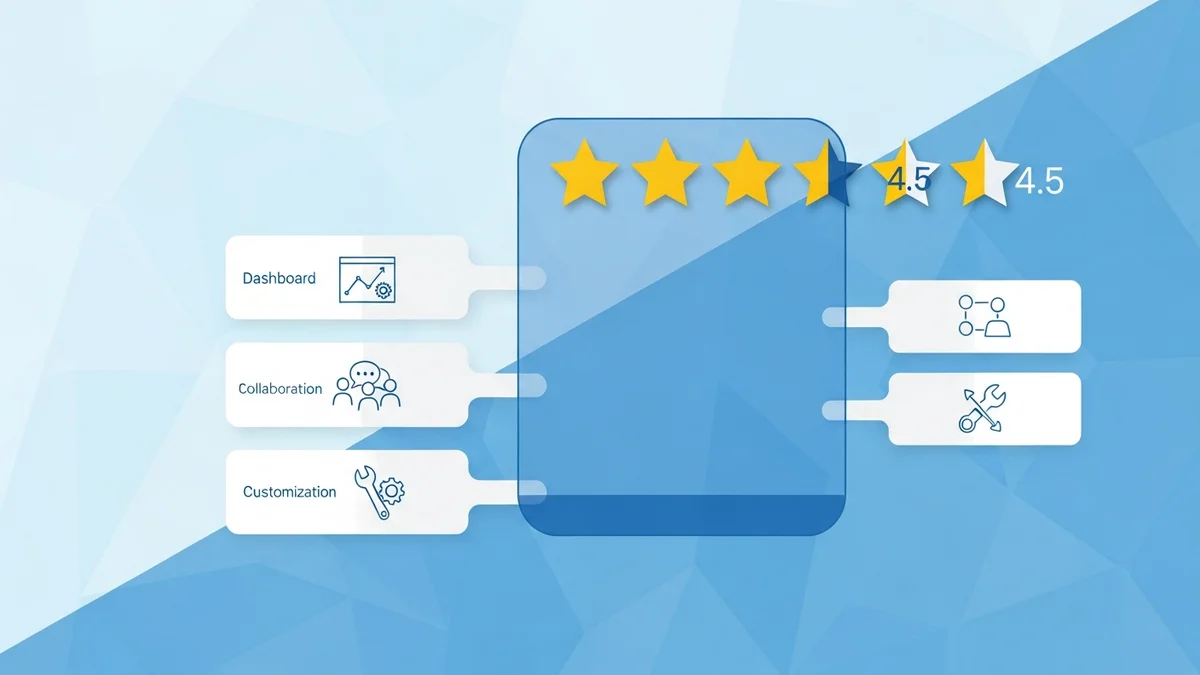
Landingi is a dedicated landing page builder founded in 2013 by a Polish software company (Landingi Sp. z o.o., headquartered in Gliwice, Silesia). It has grown into a full conversion platform used by marketers, digital agencies, and SMBs who need to spin up high-converting pages without touching code. With a 4.5-star aggregate rating across 277 reviews on Findstack, it has earned a solid reputation — but it is not right for everyone.
The core pitch: drag-and-drop landing pages, 400+ conversion-focused templates, built-in A/B testing, AI-assisted copy, and programmatic page generation — all without needing a developer. If your team is running paid campaigns and needs to match ad messaging to dedicated post-click experiences, Landingi fits that workflow well.
Core Features Explained
Drag-and-Drop Builder (Pixel-Perfect)
Unlike grid-based builders, Landingi uses a free-form, pixel-perfect canvas. You can position any element — text blocks, CTAs, images, countdown timers, videos — anywhere on the page without snapping to a layout grid. This gives experienced designers more control but has a steeper initial learning curve compared to section-based builders like Leadpages. The builder is fully mobile-responsive, with a separate mobile view editor so you can fine-tune how the page renders on smaller screens independently from desktop.
Template Library (400+ Designs)
Landingi's template library covers a wide range of industries: SaaS, real estate, e-commerce, healthcare, education, events, and more. Templates are not just page shells — they include pre-built sections for hero areas, social proof blocks, FAQ accordions, and CTAs. You can also save your own sections as reusable blocks, which is genuinely useful for agencies maintaining brand consistency across clients.
AI Landing Page Tools
Introduced as a core feature in 2025, the AI suite lets you generate page copy from a brief, optimize headlines for SEO, and regenerate images. It is not a fully autonomous page builder — you still direct the output — but it meaningfully speeds up the drafting phase for performance marketers running high-volume campaigns.
A/B Testing
Landingi's built-in A/B testing lets you create page variants and split traffic between them. You can set custom traffic distribution (e.g., 70/30), define conversion goals (form submissions, button clicks, page visits), and track results from a single dashboard. This is available on Professional plans and above — it is not included in the entry-level tier, which is an important limitation if testing is a core part of your workflow.
Pop-ups, Lightboxes, and Forms
Beyond landing pages, Landingi includes modules for exit-intent pop-ups, timed lightboxes, and embedded forms. These can be deployed on external websites (not just Landingi-hosted pages), which makes it a partial alternative to tools like OptinMonster for on-site lead capture.
Programmatic Landing Pages
This feature targets performance marketers and agencies running large-scale campaigns. You build one master template, then use dynamic data sources (CSV, API, or direct input) to generate hundreds of page variants automatically — each with unique headlines, location references, or offer details. This is a significant differentiator versus most mid-market landing page tools.
Analytics and Conversion Tracking
The built-in dashboard tracks visits, conversions, and conversion rates per page and per variant. A visual click-map lets you see where users interact with the page. For deeper funnel analysis, Landingi integrates with Google Analytics 4 and Google Tag Manager. The native analytics are solid for monitoring, but teams that need session recordings or heatmaps at scale will need a supplementary tool.
Integrations
Landingi connects natively with HubSpot, ActiveCampaign, Salesforce, Mailchimp, Zapier, Google Analytics, Facebook Pixel, and 40+ other platforms. Zapier extends this to 5,000+ apps. For CRM-heavy teams using HubSpot Marketing Hub, the native integration pushes form submissions directly into contact records without middleware.
Landingi Pricing (2026)
Landingi offers four paid tiers billed annually (monthly billing is available at a ~20% premium). There is no permanent free plan, but a 14-day free trial requires no credit card.
| Plan | Monthly Price (Annual) | Key Limits | Notable Features |
|---|---|---|---|
| Lite | $29/month | 1 custom domain, 5,000 visits/month | Unlimited landing pages, basic templates, form builder |
| Professional | $49/month | 5 custom domains, 50,000 visits/month | A/B testing, AI tools, pop-ups, custom code, integrations |
| Agency | $149/month | Unlimited domains, 150,000 visits/month | Client sub-accounts, white-label dashboard, team collaboration |
| Enterprise | Typically $300+/month | Custom visit limits, SLA | Dedicated onboarding, SSO, advanced security, custom SLA |
Newsletter
Get the latest SaaS reviews in your inbox
By subscribing, you agree to receive email updates. Unsubscribe any time. Privacy policy.
The jump from Lite to Professional is where most meaningful features unlock — A/B testing, AI copy generation, and unlimited integrations. Agencies get the most value from the Agency tier's sub-account structure, which lets them manage multiple client workspaces from a single login.
Real Pros and Cons (Based on User Reviews)
Pros
- Pixel-perfect design freedom: Users consistently praise the free-form canvas for allowing designs that are impossible in grid-constrained builders. Reviewers on Findstack highlight that it "doesn't force you into templates."
- Template volume and quality: 400+ templates across industries, with real conversion intent baked into layouts — not just aesthetically pleasing but structurally optimized for lead capture.
- Programmatic pages: A genuine differentiator. Agencies and performance marketers report generating 100+ page variants from a single master layout, dramatically reducing campaign setup time.
- Responsive customer support: Multiple reviewers note fast live chat response times and a thorough Help Center, which matters during live campaign launches.
- Strong integrations for SMB stacks: Native HubSpot, ActiveCampaign, and Salesforce connections cover most lead generation tech stacks without Zapier dependency.
- Reasonable pricing for unlimited pages: Even the Lite tier ($29/month) allows unlimited landing pages — a significant advantage over per-page or per-conversion pricing models.
Cons
- A/B testing locked behind Professional: The most common complaint from Lite users is that testing requires an upgrade. For teams validating landing page concepts, this forces a minimum $49/month commitment.
- Visit limits on lower tiers: 5,000 visits/month on the Lite plan is restrictive for anyone running even modest paid campaigns. A $500/month ad budget can easily generate 3,000–8,000 visits, pushing users to upgrade quickly.
- Learning curve on the free-form editor: The pixel-perfect canvas that power users love is also the source of frustration for beginners. New users accustomed to section-based builders report initial disorientation.
- Analytics depth is limited natively: The built-in heatmaps and click tracking are useful but not a replacement for dedicated tools. Session-level analysis requires third-party integrations.
- No built-in email marketing: Landingi captures leads but does not nurture them. You need a separate ESP or CRM to handle follow-up sequences.
Landingi vs. Top 3 Competitors
| Feature | Landingi | Unbounce | Leadpages | Instapage |
|---|---|---|---|---|
| Entry Price (annual) | $29/month | $74/month | $37/month | $79/month |
| A/B Testing | Professional+ ($49/mo) | All paid plans | Pro+ ($74/mo) | All paid plans |
| Programmatic Pages | Yes (native) | Smart Traffic (AI routing) | No | Yes (AdMap) |
| Free-form editor | Yes (pixel-perfect) | Yes | No (section-based) | Yes (pixel-perfect) |
| Pop-ups / Lightboxes | Yes (built-in) | Yes (Popups module) | Yes (Leadboxes) | Limited |
| Agency Sub-accounts | Yes ($149/mo) | Yes ($149/mo) | No | Yes (custom pricing) |
| AI Copywriting | Yes (built-in) | Yes (Smart Copy) | Limited | No native AI copy |
| Visit Limits (entry tier) | 5,000/month | 20,000/month | Unlimited | 30,000/month |
Landingi vs. Unbounce: Unbounce's Smart Traffic feature (AI-driven traffic routing between variants) is more sophisticated than Landingi's standard A/B split testing. However, Unbounce starts at $74/month — more than double Landingi's entry price. For teams not needing AI traffic optimization, Landingi delivers comparable core functionality at a lower cost.
Landingi vs. Leadpages: Leadpages is easier for beginners (section-based builder, drag-and-drop with guardrails) and offers unlimited traffic on all plans. Landingi offers more design freedom and a stronger programmatic page engine. Teams prioritizing ease of use over design control will prefer Leadpages; those needing granular layout control should choose Landingi.
Landingi vs. Instapage: Instapage targets enterprise advertisers with deep AdMap personalization and collaboration tools. Its $79/month entry price buys advanced post-click personalization, but the feature depth is overkill for most SMBs. Landingi delivers 80% of Instapage's core capability at 37–60% of the cost, making it the better choice for mid-market teams.
Who Should Buy Landingi
Best Fit
- Digital marketing agencies managing multiple clients — the Agency plan's sub-account structure and white-label dashboard justify the $149/month price point quickly at 5+ active clients.
- Performance marketers running PPC campaigns who need fast page deployment, A/B testing, and programmatic variants to match ad messaging.
- SMBs on a $29–$49/month budget who want professional-quality landing pages without hiring a developer.
- Teams already using HubSpot or ActiveCampaign — the native integrations make Landingi a natural extension of existing lead nurturing workflows.
Look Elsewhere If
- You run high-traffic campaigns from day one and need 20,000+ visits/month without upgrading — consider Unbounce or Leadpages which offer more generous traffic allowances at entry tiers.
- You need full-funnel functionality including email sequences, lead scoring, and CRM in a single platform — HubSpot Marketing Hub covers more ground even if landing page flexibility is lower.
- Your primary goal is identifying anonymous website visitors rather than converting inbound traffic — tools like Leadfeeder solve a different problem entirely.
- You need enterprise-grade collaboration (real-time co-editing, version history, approval workflows at scale) — Instapage is better architected for that use case.
Verdict
Landingi earns its 4.5-star rating by delivering a feature set that punches above its price point. For the $49/month Professional plan, you get a pixel-perfect builder, 400+ templates, A/B testing, AI copy tools, programmatic page generation, and integrations with every major marketing platform. The visit limits at the Lite tier are the most legitimate gripe — they force a $49/month minimum for any real paid campaign volume.
For digital agencies and performance marketers, it is one of the most cost-effective dedicated landing page platforms available in 2026. It does not try to be an all-in-one marketing suite, which keeps it focused and fast. If you are running lead generation campaigns and need to turn paid traffic into qualified leads with well-designed, testable landing pages, Landingi is a strong choice worth the 14-day free trial.





