
Unbounce vs Leadpages: The Quick Verdict
If you're a small business owner or solopreneur who needs landing pages live this week without burning through your budget, Leadpages is the smarter starting point. At $37/month, it delivers a clean builder, solid templates, and enough CRO tooling to drive real results without overwhelming you.
If you're running a growth-stage company or a dedicated marketing team that needs serious conversion optimization firepower — AI-driven traffic routing, advanced A/B testing, and pixel-perfect page control — Unbounce at $74/month is worth every extra dollar. The gap in capability justifies the gap in price, but only if you'll actually use the advanced features.
What neither tool does well: full-funnel CRM, email campaigns, or deep prospect intelligence. For that layer, you'll want to pair either platform with tools like HubSpot Marketing Hub or OptinMonster to capture and nurture leads beyond the landing page.
What Are Unbounce and Leadpages?
Leadpages: The Beginner-Friendly Page Builder
Leadpages is a landing page and website builder designed specifically for small businesses that need to establish an online presence quickly. Its core value proposition is simplicity: a drag-and-drop editor, pre-built templates for virtually every use case, and built-in conversion rate optimization tools that don't require a marketing degree to operate.
Beyond page building, Leadpages includes an AI content generator for fast copy creation, basic analytics, rudimentary lead management, and integrations with 92 third-party tools — covering the essentials like Zoho, Salesforce, Facebook, and Constant Contact. Notable conversion features include countdown timers, alert bars, email capture popups, and checkout forms. There's also a "Lead Meter" that attempts to predict page performance before you publish, which is genuinely useful for less experienced marketers who want a sanity check.
Where Leadpages falls short: the editor, while functional, is actually considered harder to use than Unbounce's interface despite being the "beginner" option. And A/B testing — arguably the most important CRO feature — is locked out of the lowest-tier plan, which is a meaningful limitation if optimization is a priority.
Unbounce: The Conversion Optimization Powerhouse
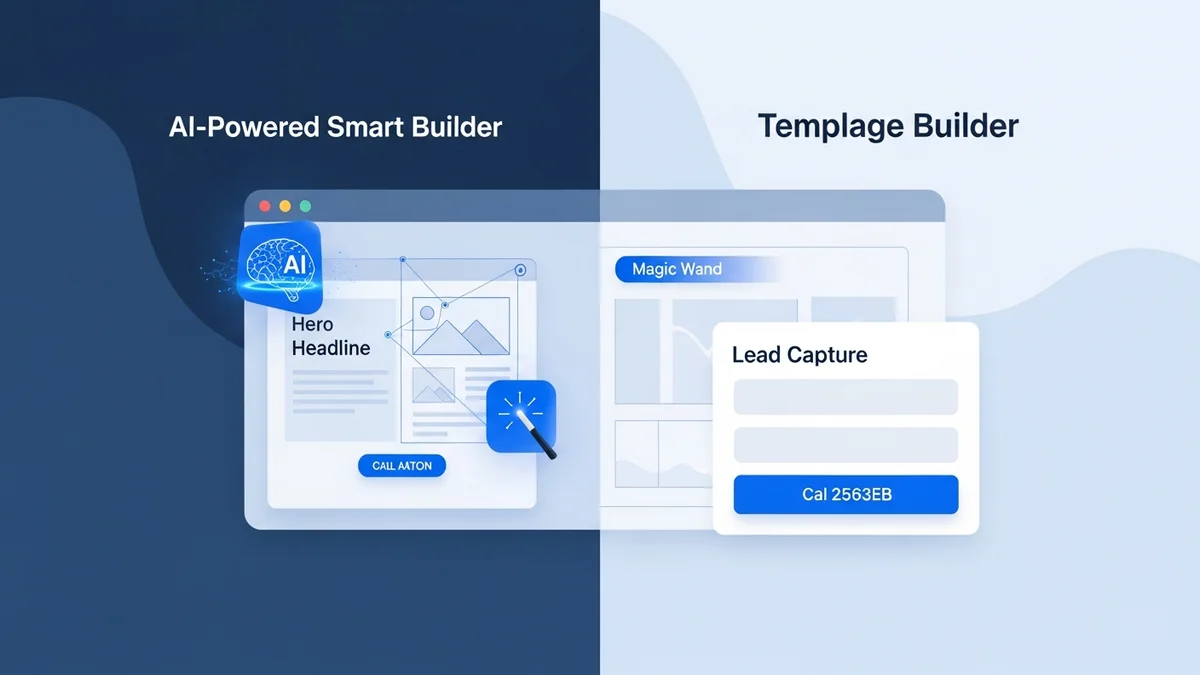
Unbounce is a more sophisticated platform built for teams who are serious about squeezing every percentage point out of their conversion rates. It ships with two distinct builders: the Classic builder (full drag-and-drop control) and the newer Simple builder (AI-assisted, faster to use). Over 200 templates cover every campaign type imaginable.
The headline feature is Smart Traffic Routing — an AI system that analyzes visitor behavior and automatically routes them to the page variant most likely to convert, without waiting for statistical significance like traditional A/B tests require. Combined with dynamic text replacement, robust A/B testing, and integrations with Google Ads, Facebook, Mailchimp, HubSpot, Zapier, and CallRail, Unbounce gives marketing teams a complete conversion optimization ecosystem.
The tradeoffs: Unbounce's mobile editing experience can be frustrating, and at $74/month it's priced as a professional tool. If your team isn't running enough traffic to make statistical optimization meaningful, you're paying for a Ferrari to drive to the grocery store.
Feature-by-Feature Comparison
Page Builder and Templates
Unbounce wins on raw capability. The Classic builder gives you true pixel-level control — you can place any element anywhere on the canvas, which is a double-edged sword. Experienced designers love it; beginners find the freedom paralyzing. The Simple builder (AI-powered) closes the gap somewhat, making page creation faster for less technical users.
Leadpages takes a more structured approach. The editor is template-constrained, which keeps pages looking clean but limits creative freedom. Ironically, multiple sources flag Leadpages' editor as more difficult to navigate than Unbounce's — a counterintuitive finding for a tool marketed at beginners. The template library is solid and covers core use cases, but Unbounce's 200+ options give it a broader canvas.
Winner: Unbounce — more templates, more control, two builder modes to match different skill levels.
Newsletter
Get the latest SaaS reviews in your inbox
By subscribing, you agree to receive email updates. Unsubscribe any time. Privacy policy.
Conversion Rate Optimization Tools
This is where the price gap earns its keep. Unbounce's Smart Traffic Routing is a genuinely differentiated feature: rather than waiting weeks for an A/B test to reach significance, the AI starts optimizing traffic distribution almost immediately based on visitor attributes. For teams running paid campaigns where every click costs money, this matters.
Leadpages includes built-in CRO tools — alert bars, countdown timers, popups, and the Lead Meter prediction feature — but lacks the depth of Unbounce's testing infrastructure. The absence of A/B testing on the base plan is particularly damaging here; testing is table stakes for conversion optimization, not a premium add-on.
Winner: Unbounce — Smart Traffic Routing alone justifies the category win.
Integrations
Leadpages connects with 92 third-party tools, covering CRMs (Salesforce, Zoho), email platforms (Constant Contact), and social (Facebook). That's a respectable number for small business workflows. Unbounce's integration list is comparable in breadth — Google Ads, Facebook, Mailchimp, HubSpot, Zapier, CallRail — with particular strength in the paid advertising and analytics ecosystem.
It's worth noting that neither platform replaces a dedicated lead intelligence tool. If you need to understand who is visiting your pages beyond what they voluntarily submit in a form, you'd need to layer in something like Leadfeeder or Instapage (which has stronger enterprise analytics built in). Similarly, neither Unbounce nor Leadpages offers the kind of B2B prospecting data you'd get from platforms higher up the funnel.
Winner: Tie — both cover the core integration stack; Unbounce edges ahead for paid ad workflows.
WordPress Plugin
Both Unbounce and Leadpages offer WordPress plugins, letting you publish landing pages directly to your WordPress site under your own domain. This is a meaningful feature for SEO and brand consistency — pages live on your domain rather than a subdomain of the tool's platform. The plugins work comparably well on both platforms.
Winner: Tie.
Pricing Breakdown
The pricing gap between these two tools is significant and should be a primary decision factor for budget-conscious buyers.
| Feature | Leadpages | Unbounce |
|---|---|---|
| Starting price | $37/month | $74/month |
| A/B testing | Higher plans only | Included |
| AI traffic optimization | No | Yes (Smart Traffic) |
| Templates | Standard library | 200+ |
| AI content generator | Yes | Yes |
| WordPress plugin | Yes | Yes |
| Dynamic text replacement | No | Yes |
| Third-party integrations | 92 | Comparable breadth |
| Best for | Small business (≤50 employees) | Mid-market & enterprise (51+ employees) |
At $37/month, Leadpages is genuinely affordable for early-stage businesses. The jump to $74/month for Unbounce is a 100% price increase — which is easy to justify if you're running paid traffic campaigns where Smart Traffic Routing can recoup that cost in improved conversions, but hard to justify if you're just building a handful of organic landing pages.
For context, Instapage enters the market at $79/month with particularly strong enterprise analytics, making it a third option worth evaluating if you're already at the Unbounce price point and want richer built-in reporting.
Who Should Choose Which Tool?
Choose Leadpages If...
- You're a small business with 50 or fewer employees and limited marketing budget
- You need landing pages live quickly without a steep learning curve
- Your primary use case is lead capture, not complex multi-variant optimization
- You want built-in conversion tools (popups, countdown timers, checkout forms) without paying for advanced CRO infrastructure you won't fully use
- You're just starting to build your digital presence and want something forgiving
Choose Unbounce If...
- You're running paid traffic (Google Ads, Facebook) and need to maximize ROI through continuous optimization
- You have a mid-sized team (51–1,000 employees) or dedicated marketing function that will actively use advanced features
- Smart Traffic Routing is a genuine priority — this is Unbounce's killer feature and it has no real equivalent in Leadpages
- You need dynamic text replacement for personalized ad-to-page experiences
- Your team includes designers or marketers who want pixel-level layout control
When Neither Tool Is Enough
It's worth being direct about what both tools don't do. Neither Unbounce nor Leadpages is a CRM. Neither supports outbound email campaigns. Neither gives you intent data, firmographic enrichment, or the ability to identify anonymous visitors. If your lead generation strategy extends beyond inbound landing page capture into active prospecting and pipeline management, you'll need to pair either tool with a more complete stack — whether that's a marketing automation platform or a B2B intelligence layer.
Final Recommendation
The Unbounce vs Leadpages decision ultimately comes down to a simple question: are you optimizing for speed and cost, or for conversion performance at scale?
For the majority of small businesses and solo marketers, Leadpages at $37/month delivers strong value. The 92 integrations cover most workflows, the built-in CRO tools handle common use cases, and the AI content generator speeds up page creation meaningfully. You don't need Smart Traffic Routing if you're running modest traffic volumes — traditional lead capture mechanics are sufficient.
For growth-stage companies and marketing teams running serious paid acquisition, Unbounce is the stronger long-term investment. The $74/month price tag reflects a platform built around one core promise: more conversions from the traffic you're already paying for. Smart Traffic Routing, dynamic text replacement, and a 200+ template library give serious marketers tools that Leadpages simply doesn't match.
Neither choice is wrong — they serve different operators at different stages. Pick the one that matches where your business actually is today, not where you hope it'll be in two years.